Private widgets private widget · powered by Kommo CRM
Duplicatecontact
Duplicate contacts merged automatically
A client writes from a new number or fills out a form again — and a second "John Smith" appears in your CRM. History splits, managers get confused. The widget detects the duplicate the moment it is created and merges the contacts automatically, preserving the entire history without losing anything.
What it does
- Automatic duplicate detection at the moment a new contact is created
- Auto-merge of contacts — phones, email, custom fields, and history are all consolidated into one contact
- The new deal is linked to the merged contact — nothing is lost
- Responsibility stays with the manager who previously owned the client
- Notification task about the merge — the manager is informed, and the task text is configurable
- Flexible matching rules: by phone and/or email, with configurable digit-count for comparison
- Inline duplicate indicator: when a manager edits a phone number or email, the widget immediately warns about a match with another contact
- Bulk scan: scan all existing contacts and mass-merge duplicates already in your database
- Phone normalisation: numbers on new contacts are formatted consistently — no spaces, brackets, or hyphens
- Chat-safe mode: if a duplicate contact has an active messenger conversation, the contact is not deleted — the widget preserves the chat and prompts a manual merge
How it looks inside Kommo
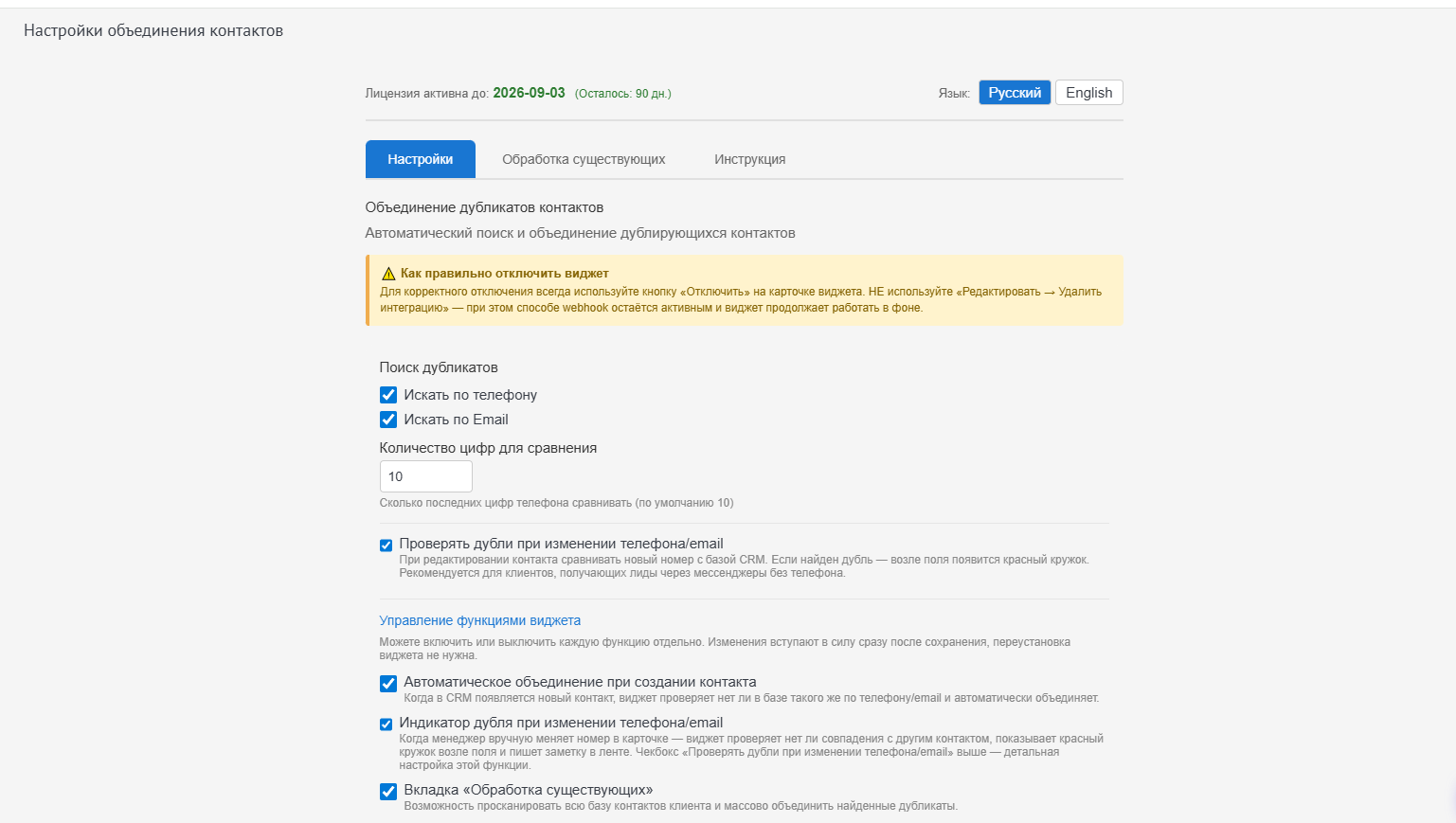
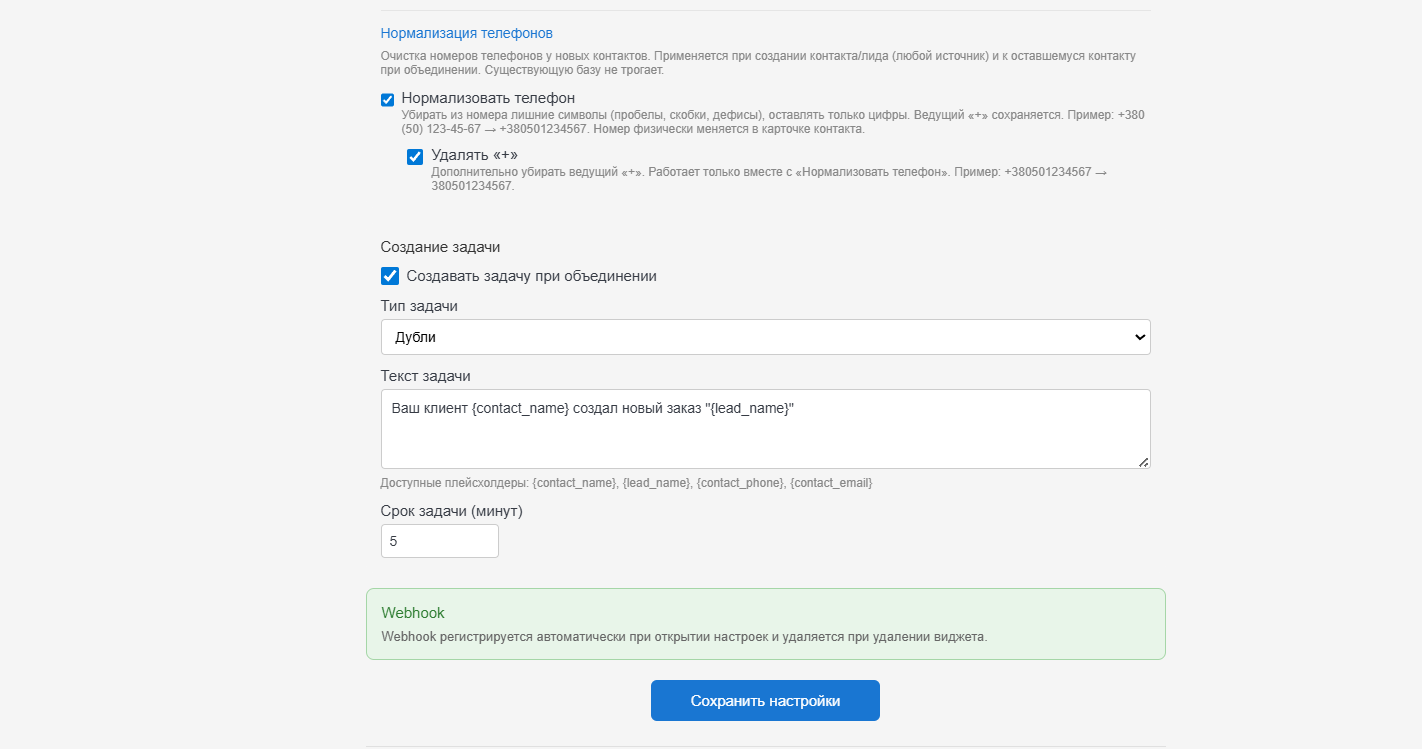
Click a screenshot to enlarge.
How we set it up
We install the widget in your Kommo account and tune it to your processes. Nothing to install on your computer - it all runs inside Kommo in the browser.
Need this widget?
Message us - we will tell you whether it fits your process and install it in your account.